
Signals
Signals: the words and numbers you'll actually see
A glossary organised around what triggers it: a status word, an ID prefix, a weight term, or a charge. Each entry sits where you would actually bump into it.
Tomebuy's account pages use short, specific words that are never defined on the page itself. This list collects them in one place.
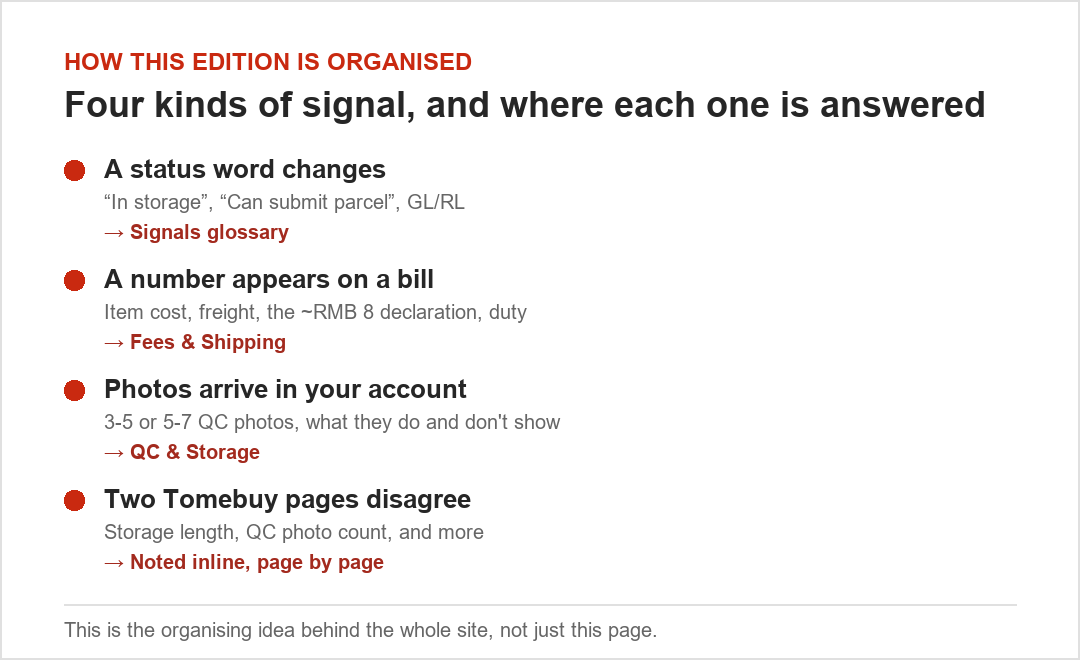
Status words
- In storage
- The item has arrived at Tomebuy's warehouse and passed inspection. This is also the status that starts the free-storage clock.
- Can submit parcel
- The item is eligible to be added to an outgoing shipment from the Warehouse page.
- Signed for
- Used for parcels Tomebuy received without a matching order on file. These get a separate, shorter abandonment clock than ordinary stored goods.
- GL and RL
- Shorthand for “green light” and “red light,” meaning a seller willing to ship a given item versus one who refuses. You will see this on buyer forums and some other agents' sites; Tomebuy's own pages do not use the abbreviation, but it is common enough across the industry that it is worth recognising.
ID prefixes
- OG + number
- An order ID, used when referencing a specific purchased item, for example when requesting a value-added service on it.
- S + number
- A parcel ID, used once items are combined and submitted for shipping.
Weight and charge terms
- Product weight
- The weight of the item itself, as purchased.
- Package weight
- Product weight plus packing material. This is what freight is actually billed on.
- Volume weight
- Multiply a parcel's length by its width and its height in centimetres, then divide the result by a carrier-specific figure (Tomebuy's help text lists 5,000, 6,000, 7,000 or 8,000 depending on the line). Whichever is larger, volume weight or actual weight, becomes the chargeable weight.
- Chargeable weight
- Whichever number freight actually gets billed against: the larger of product weight and volume weight.
Money and account terms
- Customs declaration
- A roughly ¥8 per-parcel charge Tomebuy itself applies, separate from any import duty your own country might charge.
- Duty-free threshold
- The declared value under which a destination country typically does not charge import duty. See Shipping for the list Tomebuy's own help page publishes, with its own caveat attached.
- Balance / Wallet
- Tomebuy's internal account credit. Overcharges on freight are refunded here; undercharges are deducted from it before a parcel can ship.
- Crisp
- The live-chat widget in the corner of every Tomebuy page, run by a third-party chat provider, not a Tomebuy-built tool.
Platform words
- Taobao / Tmall
- The two general marketplaces Tomebuy searches by default; Tmall listings skew toward larger, verified storefronts, Taobao toward smaller independent sellers.
- 1688
- A wholesale-facing marketplace. Tomebuy's own guide flags it separately because quality can run below a direct Taobao listing and many sellers set a minimum order quantity.
- Weidian
- A storefront platform Tomebuy supports by direct link rather than keyword search.
- DIY Orders
- The manual request form for anything outside those four platforms. Tomebuy's own examples include Xianyu, Pinduoduo and Yupoo; submitting through this form is a sourcing request, not a guaranteed purchase.
The account pages themselves
- Orders page
- Tracks a purchase from submission through to warehouse arrival; the contact button here reaches the specific buyer handling that order.
- Warehouse page
- Lists everything currently stored, and is where items get selected and combined into an outgoing parcel.
- Parcel page
- Tracks a submitted shipment after freight is paid, through to delivery and receipt confirmation; after-sales requests start here too.
- Member centre
- Account settings: password, addresses, and payment methods on file.